
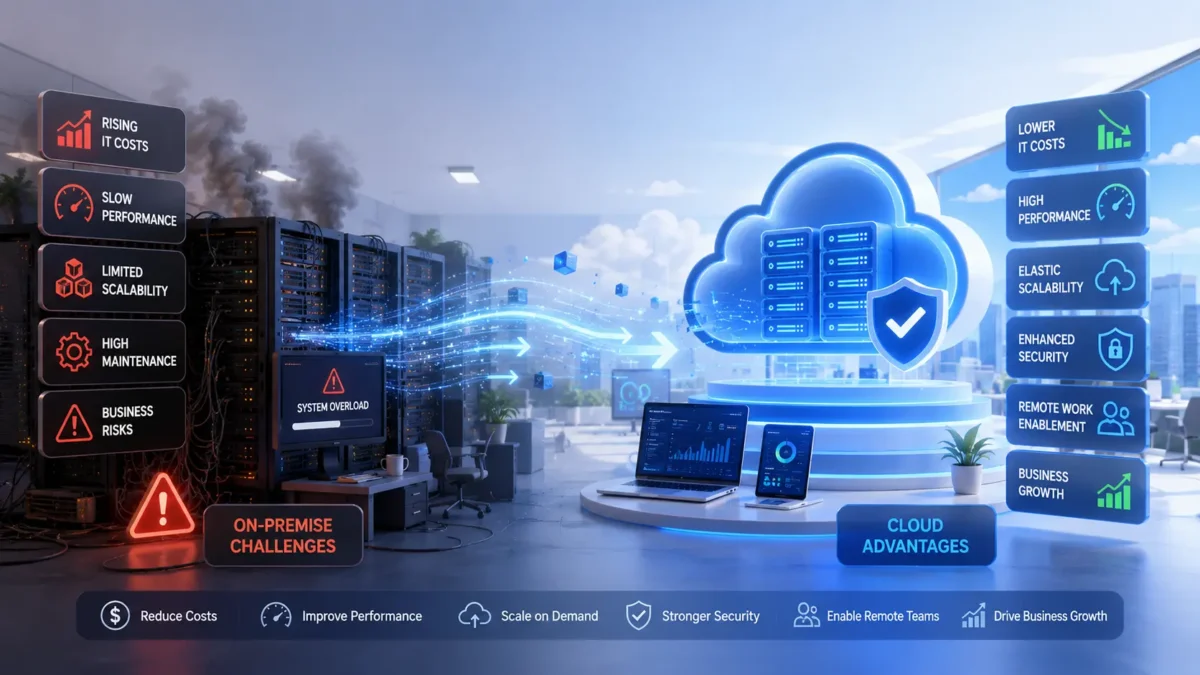

Signs Your Business Is Ready for Cloud Migration
Signs Your Business Is Ready for
Cloud Migration
Key indicators that show your business may benefit from moving to the cloud — and how to act on them with a clear, confident strategy.
1Is Your Business Ready for Cloud Migration?
Many businesses know they should be thinking about cloud migration — but few know exactly when the right moment is to act. The conversation often stalls in endless internal debates, delayed IT roadmaps, or vague concerns about disruption. Meanwhile, infrastructure costs keep climbing, systems grow harder to manage, and competitors who moved earlier begin to pull ahead.
The reality is that cloud migration isn’t something businesses do when they feel completely ready. It’s something they pursue when the cost of staying on legacy infrastructure becomes greater than the cost of change. And for most growing organisations, that tipping point arrives sooner than expected.
This guide is designed to help business owners and IT leaders identify the concrete signals — the real, operational signs — that indicate it’s time to move. Understanding these signals is the first step toward building a confident cloud migration strategy that fits your organisation’s needs.
According to industry research, over 85% of enterprises now operate in multi-cloud environments. Businesses that delayed migration by more than three years reported significantly higher IT maintenance costs and reduced ability to scale compared to early adopters.
2What Is Cloud Migration?
Cloud migration is the process of moving a business’s digital assets — data, applications, workloads, and IT infrastructure — from on-premises servers or legacy systems to a cloud computing environment. This could mean migrating to a public cloud (such as AWS, Azure, or Google Cloud), a private cloud, or a hybrid combination of both.
It’s not a single action. It’s a structured transition that typically involves assessment, planning, staged migration, and ongoing optimisation. Done well, it transforms how a business operates — reducing costs, improving reliability, and creating the flexibility to scale quickly in response to demand.
Why Businesses Migrate to the Cloud
The motivations behind business cloud migration vary — but they consistently come down to a need for greater agility, lower infrastructure costs, improved security posture, and the ability to support remote workforces and growing customer demands without adding physical hardware.
Understanding whether these motivations apply to your business starts with recognising the signals that are already present in your day-to-day operations.
3Top Signs Your Business Is Ready for Cloud Migration
These aren’t hypothetical triggers. They are the operational realities that consistently appear in businesses that are outgrowing their current infrastructure — and that benefit most from making the move to cloud.
If your hardware refresh cycles are becoming more frequent, your data centre lease costs are climbing, or your IT budget is increasingly consumed by maintenance rather than innovation — these are direct signals that your on-premises infrastructure is no longer cost-efficient. Cloud shifts capital expenditure to predictable operational costs, and you only pay for what you use.
When users — whether employees or customers — regularly experience slow load times, application lag, or degraded performance during peak periods, your infrastructure is struggling to keep up. On-premises systems have fixed capacity. Cloud infrastructure scales dynamically to meet demand, eliminating the performance bottlenecks that frustrate users and damage productivity.
If preparing for a product launch, seasonal spike, or new market entry requires weeks of procurement, hardware installation, and configuration — your infrastructure is acting as a brake on business growth. Cloud environments allow businesses to scale compute and storage resources in minutes, not months, and scale back down just as easily when demand normalises.
Maintaining up-to-date security patches, managing access controls, and meeting regulatory compliance requirements on legacy systems is resource-intensive and error-prone. Major cloud providers invest billions annually in security infrastructure, certifications, and compliance frameworks — offering enterprise-grade protection that most organisations could not replicate independently.
If your remote or hybrid workforce is struggling with VPN bottlenecks, unreliable access to internal systems, or inconsistent collaboration tools — your infrastructure was designed for a different era of work. Cloud-native environments are built for distributed access, enabling teams to work securely and productively from anywhere in the world.
Unplanned downtime is expensive — both in lost revenue and damaged customer trust. If your business is experiencing recurring outages, slow disaster recovery, or extended maintenance windows, your infrastructure resilience is insufficient. Cloud platforms offer built-in redundancy, multi-region failover, and service-level agreements that reduce downtime to near-zero for critical workloads.
Ageing software, unsupported operating systems, and undocumented custom integrations create significant technical debt. When your IT team spends the majority of their time keeping legacy systems running rather than driving innovation, it’s a clear indicator that those systems are holding the business back. Migration to cloud-native architecture resolves this technical debt systematically.
Expanding into new geographies, onboarding new enterprise clients, launching new product lines — all of these demand infrastructure that can adapt quickly. If your current systems require significant lead time and capital investment to support business growth, cloud infrastructure provides the flexibility to move as fast as your business strategy requires.
4Benefits of Moving to the Cloud
When executed with the right strategy, cloud migration delivers measurable improvements across cost, performance, security, and business agility. Here are the core benefits organisations consistently report.
5Common Cloud Migration Challenges
Cloud migration delivers substantial benefits — but only when it’s approached with proper planning and expertise. Organisations that rush the process or underestimate its complexity frequently encounter avoidable obstacles. Here are the most common pitfalls to plan for.
Migrating without a thorough audit of existing systems, dependencies, and data flows leads to unexpected compatibility issues mid-migration. A structured assessment phase is not optional — it determines the complexity, cost, and timeline of everything that follows.
Poorly sequenced migrations can cause service interruptions that affect customers and internal operations. Phased migration approaches, parallel running periods, and thorough testing environments minimise this risk significantly when planned in advance.
Moving large volumes of data to the cloud involves bandwidth costs, transfer time, and regulatory considerations — particularly for businesses operating in healthcare, finance, or under GDPR. Data sovereignty and residency requirements must be addressed before migration begins, not during.
Cloud platforms operate differently from on-premises systems. Internal teams that lack cloud expertise can struggle to manage, optimise, and secure the new environment post-migration. Partnering with experienced migration specialists — or investing in team training in parallel — closes this gap effectively.
6How to Start Your Cloud Migration Journey
A successful cloud migration strategy is not a single decision — it’s a phased process that moves from assessment through to ongoing optimisation. Here is the structured approach that experienced migration teams follow.
Phase 1 — Assess Your Current Environment
Conduct a full inventory of your existing systems, applications, data, and dependencies. Identify which workloads are good candidates for migration, which require refactoring, and which should remain on-premises. This discovery phase determines the scope and cost of everything that follows.
Phase 2 — Choose the Right Cloud Platform
Select your cloud provider based on your workload requirements, existing technology stack, compliance needs, and budget. AWS, Azure, and Google Cloud each offer distinct strengths — the right choice depends on your business context, not on brand preference alone.
Phase 3 — Build a Detailed Migration Plan
Define the migration sequence, resource requirements, timelines, rollback procedures, and success metrics. A robust plan accounts for dependencies between systems, prioritises low-risk workloads first, and includes thorough testing at each stage before moving to the next.
Phase 4 — Execute the Migration in Stages
Begin with non-critical workloads to build confidence and validate your approach before migrating business-critical systems. Use proven migration patterns — rehost, replatform, or refactor — based on each application’s complexity and the value of re-architecting it for the cloud.
Phase 5 — Optimise and Continuously Improve
Migration is not the finish line — it’s the starting point. After moving to cloud, focus on right-sizing resources, implementing cost management policies, enhancing security posture, and enabling your team to take full advantage of cloud-native capabilities. Ongoing optimisation is where the long-term ROI of cloud migration is realised.
The most successful migrations follow the “crawl, walk, run” principle — starting with low-complexity workloads, learning from each phase, and progressively tackling more complex systems with confidence built from real experience.
7How Maximyz Cloud Helps You Migrate
Maximyz Cloud provides end-to-end cloud migration services for businesses at every stage of their cloud journey — from initial assessment through to post-migration optimisation. The approach is practical, structured, and built around minimising risk while maximising business value.
- Migration planning and assessment: We begin with a thorough audit of your existing infrastructure, identifying the right migration approach for each workload and producing a clear, costed migration roadmap.
- AWS migration expertise: As certified partners, our team delivers AWS migration solutions covering compute, storage, databases, and networking — with proven patterns for lift-and-shift, re-platforming, and full re-architecture.
- Azure migration services: For enterprise clients requiring Active Directory integration, hybrid environments, or Microsoft ecosystem continuity, we deliver Azure migration services that align with your existing technology stack.
- Google Cloud migration: From containerised workloads to analytics and AI-driven applications, our team delivers Google Cloud migration for organisations looking to modernise on GCP’s infrastructure.
- Post-migration optimisation: After migration, we work with your team to right-size resources, implement cost governance, strengthen security, and ensure your environment is performing at its best.
- Ongoing support: Our managed services team provides continuous monitoring, incident response, and cloud management — so your internal team can focus on business outcomes, not infrastructure.
8Conclusion — The Right Time to Migrate Is When the Signs Are Clear
Cloud migration is not a decision to make based on industry trends or vendor pressure. It’s a decision driven by operational reality — by the signals that are already present in your business: rising costs, performance limitations, scaling difficulties, security concerns, and the growing gap between what your current infrastructure can do and what your business needs it to do.
If you recognise even three or four of the signs outlined in this guide, the conversation about migrate to cloud is overdue. The businesses that act on these signals with a structured, phased approach consistently outperform those that delay — in cost efficiency, operational resilience, and competitive agility.
The process doesn’t need to be complex or disruptive. With the right partner and a clear business cloud migration strategy, most organisations complete their initial migration phases without significant disruption — and begin realising cost and performance benefits within the first few months.
If you’re ready to understand exactly what migration would look like for your business, contact our cloud experts for a straightforward assessment with no commitment required.
Ready to assess your cloud migration readiness?
Talk to a Maximyz Cloud specialist about your infrastructure, your goals, and the right migration path for your business. One conversation clarifies everything.
Talk to Maximyz CloudNo pressure. No jargon. Just a clear conversation about what cloud migration means for your business.
9Frequently Asked Questions
What is cloud migration?
Cloud migration is the process of moving a business’s data, applications, and IT workloads from on-premises servers or legacy systems to a cloud computing environment such as AWS, Microsoft Azure, or Google Cloud. It can involve a direct lift-and-shift of existing systems, re-platforming applications to better suit cloud infrastructure, or fully re-architecting systems to be cloud-native. The goal is to improve performance, reduce costs, and enable greater flexibility and scalability.
How do I know if my business needs cloud migration?
The clearest indicators are rising IT infrastructure costs, frequent downtime, difficulty scaling to meet demand, remote work challenges, and legacy systems that are becoming difficult to maintain. If your IT team spends more time keeping existing systems running than driving business innovation — and if performance or security gaps are creating operational risk — your business is ready for cloud migration. The signs are usually already visible before businesses formally begin the conversation.
What are the main benefits of cloud migration?
The primary benefits include significant reductions in infrastructure costs, elastic scalability that matches resource usage to actual demand, enterprise-grade security and compliance capabilities, improved disaster recovery and business continuity, faster application deployment cycles, and the ability to support remote and distributed teams without performance degradation. Most organisations also report that cloud migration frees their IT teams to focus on strategic initiatives rather than reactive infrastructure maintenance.
How long does cloud migration take?
The timeline depends on the complexity of your existing environment, the number and type of workloads being migrated, and the migration approach chosen. A focused migration of a small number of non-critical workloads can be completed in a few weeks. A full enterprise migration — including complex legacy systems, large data volumes, and compliance requirements — typically takes six to eighteen months, executed in phases. A thorough assessment at the outset produces a realistic timeline specific to your environment.
What is a cloud migration strategy?
A cloud migration strategy is the structured plan that defines how, when, and in what sequence a business will move its systems to the cloud. It encompasses the assessment of existing infrastructure, the choice of cloud provider and architecture model, the sequencing of workload migrations, risk management and rollback procedures, and the success metrics used to evaluate each phase. The most commonly referenced framework is the “6 Rs” — Rehost, Replatform, Repurchase, Refactor, Retire, and Retain — which provides a decision model for how to handle each individual workload during migration.
